


New in nCall Data Management: More CSV Import and Export Options
We have enhanced the nCall Data Management DLL, with the latest version now available as v5.5.6.24.
This release focuses on managing large numbers of Temporary Call Actions, maintaining Master Billing Rates and allowing more details in Call exports. If your team uses Temporary Call Actions for physician on-call schedules, holiday cover, lunch breaks, absence handling, overflow routing, or other time-based call handling, you can now build those actions in a spreadsheet and import them into nCall from a CSV file.
You can also import Master Billing Rates from CSV, which is useful when rate tables are supplied by a carrier, maintained in a spreadsheet, or need to be updated across transfer and outgoing call billing settings. We have also improved call export options, making it easier to extract the call and call-action data you need for review, reporting, audit, or further analysis in tools such as Excel.
Why this matters
Temporary Call Actions are powerful because they let nCall change how a contact’s calls are handled for a defined period. For example, calls can be transferred to a different person, routed to another number, sent to a message form, or handled differently while a contact is unavailable.
The challenge is volume. Some teams need to enter hundreds of temporary actions every week. Doing that manually means repeatedly selecting dates, times, contacts, transfer destinations, and notes. It is slow, repetitive, and easy to get wrong.
With CSV import, your team can prepare the schedule once in a spreadsheet, review it, save it as CSV, and import it into nCall.
The same principle now applies to Master Billing Rates. Instead of rekeying rate bands into nCall, administrators can prepare a simple CSV, select where the rates should be applied, and let the Data Management tool update the billing-rate table.
Import Temporary Call Actions from CSV
The Data Management import wizard now includes Call Actions as an import type.
To use it:
- Prepare the Temporary Call Actions in a spreadsheet.
- Save or export the spreadsheet as a CSV file.
- Run nCall on a machine with direct database access, normally the nCall server.
- Open Tools > Import/Export.
- Choose Import data into nCall.
- Select the CSV file and choose Call Actions.
- Match the CSV columns to nCall fields.
- Run the import and review the number of items added or updated.
The column matching step is important. Your CSV file does not have to use a fixed column order. The wizard lets you map the columns from your spreadsheet to the nCall fields, so teams can keep a spreadsheet layout that works for their internal workflow.
What can be imported
The import supports the main fields needed to create Temporary Call Actions, including:
- The contact to apply the action to, using either
ContactIDor the friendlierContact_Namefield. - The action start and end date/time, using
ActionStartandActionEnd. - The temporary action frequency or rule, using
Action_Details. - A description and notes, using fields such as
ActionDescandAddedNotes. - The call handling buttons, including transfer, blind transfer, contact transfer, and not-used style actions.
- Optional contact status information.
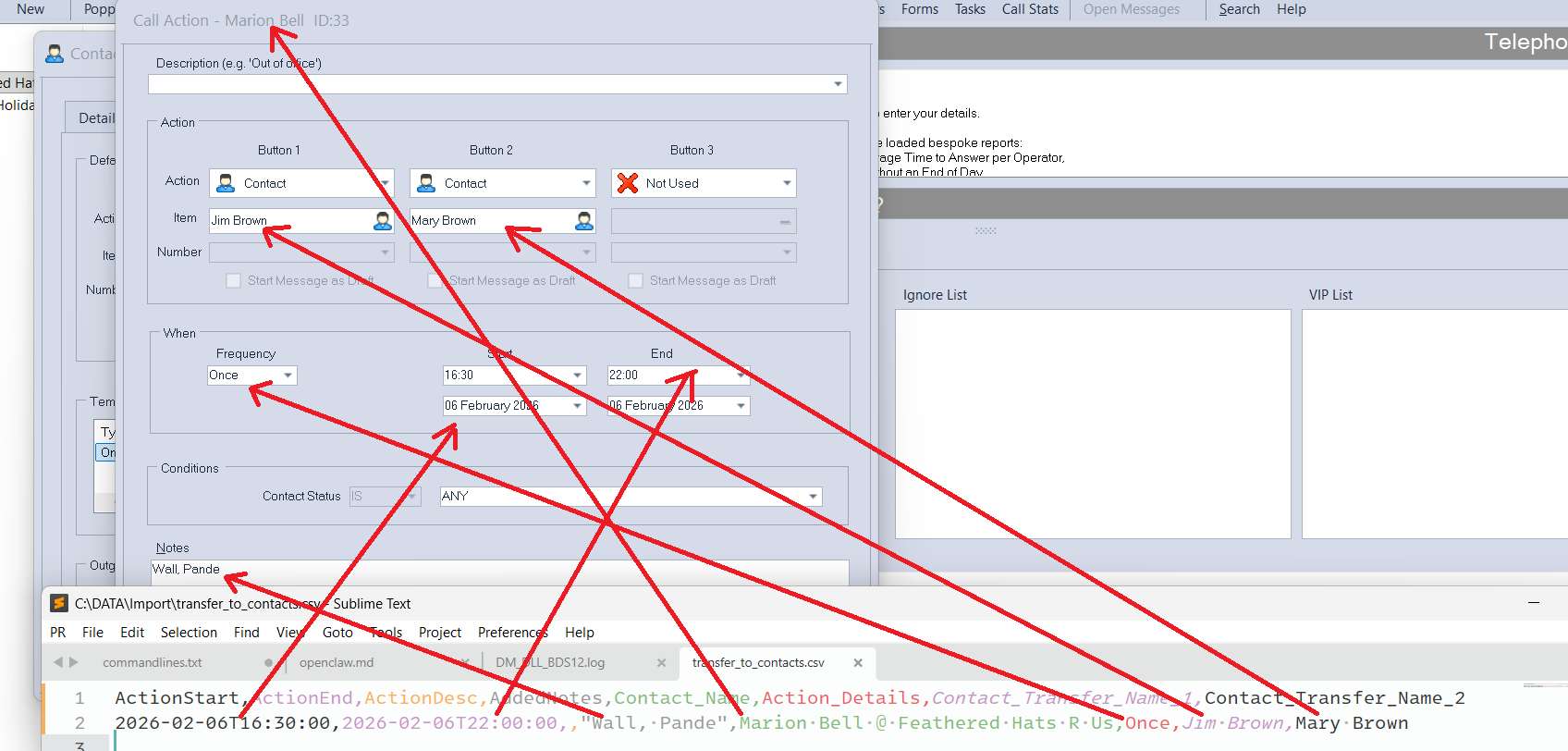
For example, a CSV might include columns such as:
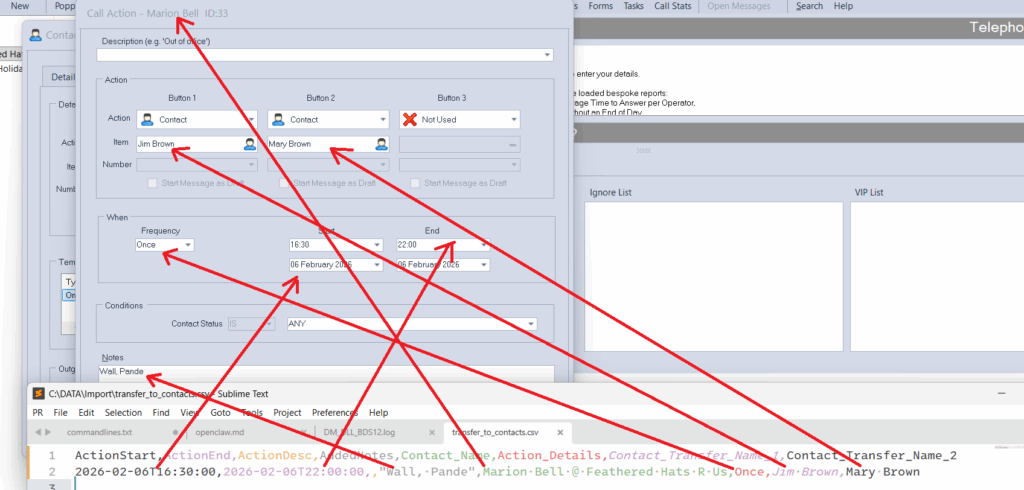
ActionStart,ActionEnd,ActionDesc,AddedNotes,Contact_Name,Action_Details,Contact_Transfer_Name_1,Contact_Transfer_Name_2
2026-06-01T08:00:00,2026-06-01T18:00:00,,Marion Bell @ Feathered Hats R Us,Once,Jim Brown, Mary Brown
The human-readable fields are designed to make spreadsheet preparation easier. Rather than forcing administrators to work only with internal IDs, the import can resolve contact names and common call-action values during import.
Supported temporary action patterns
Temporary Call Actions can describe when the rule should apply. The import supports the familiar nCall temporary-action patterns, including:
- Once
- Daily
- Weekdays
- Weekends
- Weekly, with a selected day
- Always
That means you can use the import for one-off cover, recurring daily or weekly handling, weekend schedules, and longer-running temporary arrangements.
Import Master Billing Rates from CSV
The import wizard now also includes Master Billing Rates as an import type.
This importer is designed for simple billing-rate tables. The CSV needs two mapped columns:
Numbers starting withCost
During import, nCall reads the CSV rows, skips blank or commented rows, strips a leading + from number prefixes, keeps the numeric value from the cost field, sorts the rate bands, checks for inconsistencies, and removes duplicate rows before saving the result.
Administrators can choose which Master Billing Rate destination should be updated:
- Transfer Rates Fixed
- Transfer Rates/Minute
- Outgoing Rates/Minute
One CSV can be applied to one or more of those destinations. The imported file becomes the saved rate table for each selected destination. If a selected destination already exists, nCall updates it. If it does not exist yet, nCall creates it.
For example:
Numbers starting with,Cost
44,0.10
441993,0.05
1,0.12
This is particularly useful when suppliers provide rate changes in spreadsheet form, or when your team maintains billing tables outside nCall before applying them to the live system. It reduces manual data entry and helps keep transfer and outgoing billing rates consistent.
More useful call exports
This release also improves CSV export from the Data Management area.
You can now export Calls from selected clients with more control over what comes out. The wizard supports client selection, call date range selection, operator selection, column selection, and row selection before writing the CSV file.
This makes it easier to answer questions such as:
- Which calls were handled for these clients last week?
- Which calls were handled by a particular operator or operator group?
- What call fields do we need for a billing review, client report, or internal analysis?
- Can we export only the columns needed for a spreadsheet model or audit file?
Call Actions can also be exported to CSV. This is useful when reviewing current contact handling, checking temporary schedules, investigating routing questions, or keeping an operational record outside nCall.
For exports involving contacts, calls, or call actions, the wizard also includes an option to include or exclude general contacts, helping you keep exports focused on the records you actually need.
Designed for real answering-service workflows
The main benefit is time saved. Instead of entering every Temporary Call Action by hand, administrators can prepare a batch of changes in a spreadsheet, check it carefully, and import it in one operation.
That helps with:
- Large physician and professional on-call rotas.
- Holiday and absence cover.
- Recurring lunch, meeting, and after-hours handling.
- Seasonal or campaign-specific call routing.
- Carrier or supplier billing-rate updates.
- Transfer and outgoing call rate-table maintenance.
- Bulk checking and review before changes go live.
- Reducing manual date/time entry and repetitive setup work.
It also gives teams a cleaner operational process. Schedules can be built by the person who owns the rota, reviewed in spreadsheet form, and then imported by an nCall administrator.
Availability
These enhancements are included in DataManagement.dll v5.5.6.24.
The Data Management DLL is an optional nCall module that adds import, export, validation, anonymisation, and other data tools. It is free to nCall clients with active support.
If you would like to use the new Temporary Call Action or Master Billing Rates CSV import or more powerful call exporting, contact nSolve support and we can confirm your current Data Management version, help with installation, and advise on the best CSV layout for your workflow.


